Short Version
Guys, this one’s such a no brainer that I shouldn’t even have to lay it all out. But I will.
The Nokia Lumia 900 is an excellent handset, comes packed with a fresh new operating system in the form of Windows Phone 7.5 Mango, and thanks to a nifty AT&T bill credit from Nokia, you can essentially get this $100 LTE-equipped phone for free until the 21st. Repeat: for free.
Like I said, this one’s a no brainer.
Features:
- 4.3-inch 480×800 AMOLED display
- AT&T 4G LTE
- Windows Phone 7.5 Mango
- 1.4GHz single-core processor
- 8MP rear camera (720p video capture)
- 1MP front camera
- MSRP: $100 on-contract (or free through April 21)
Pros:
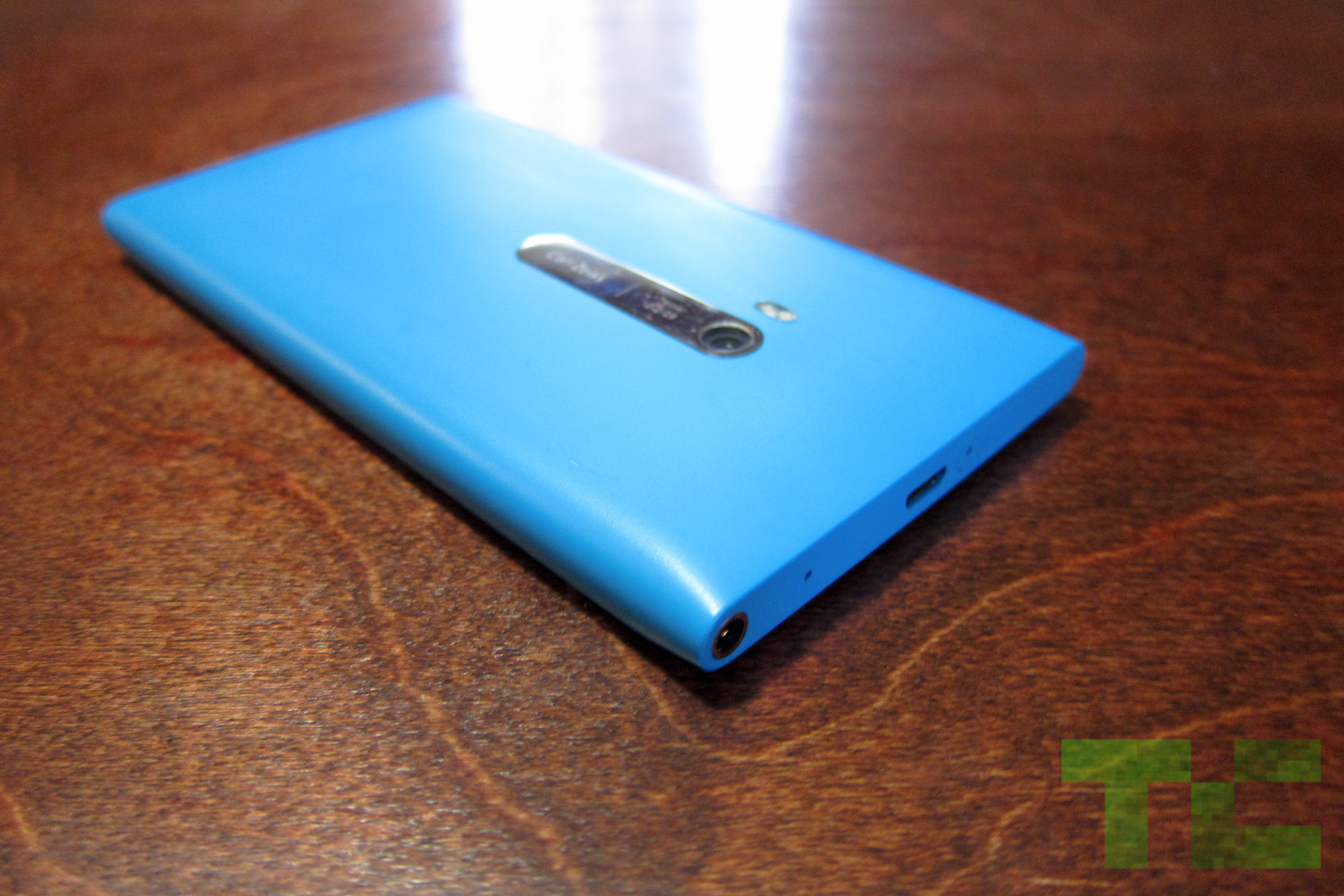
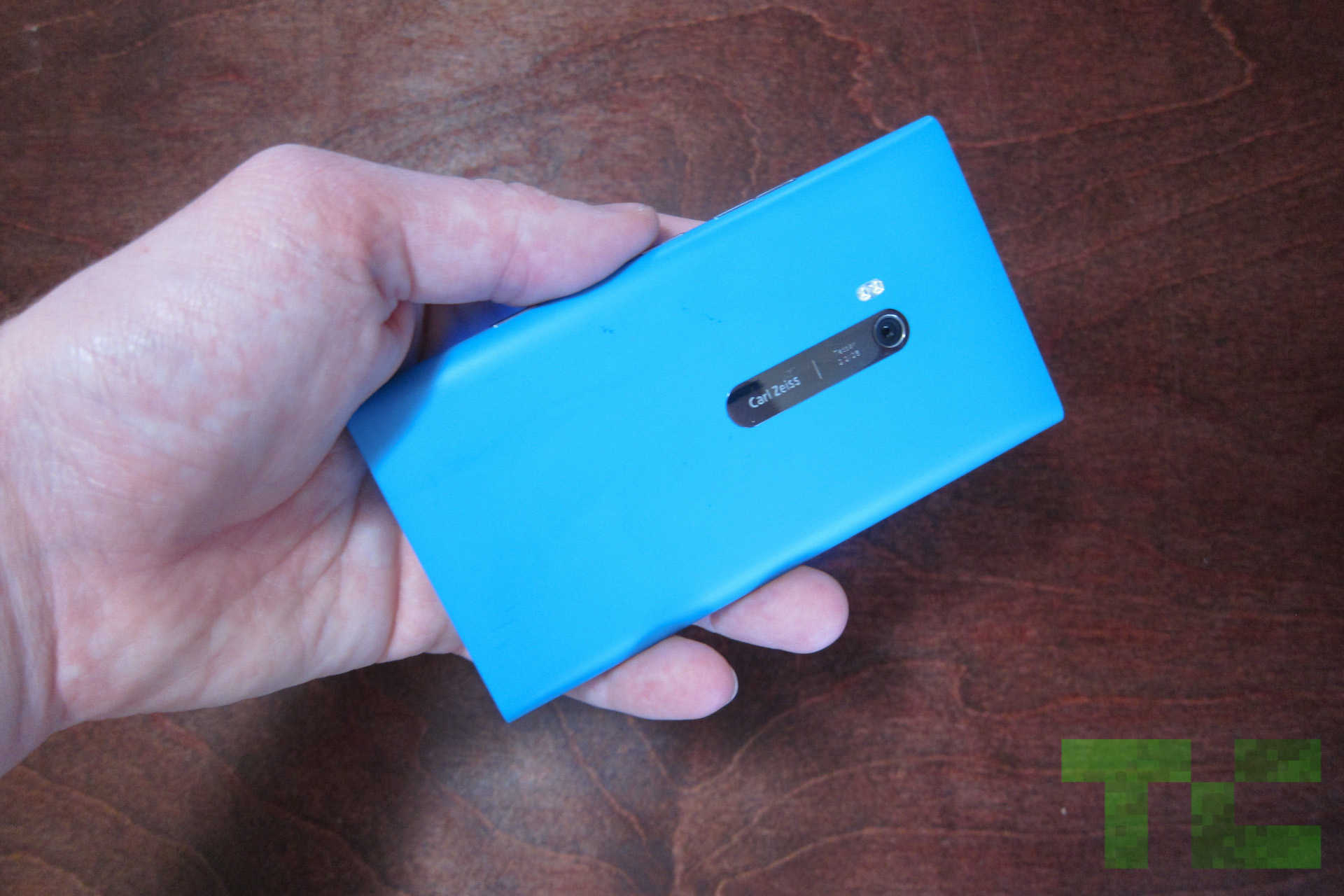
- Beautiful unibody polycarbonate casing (matte)
- Well-built and premium feeling in the hand
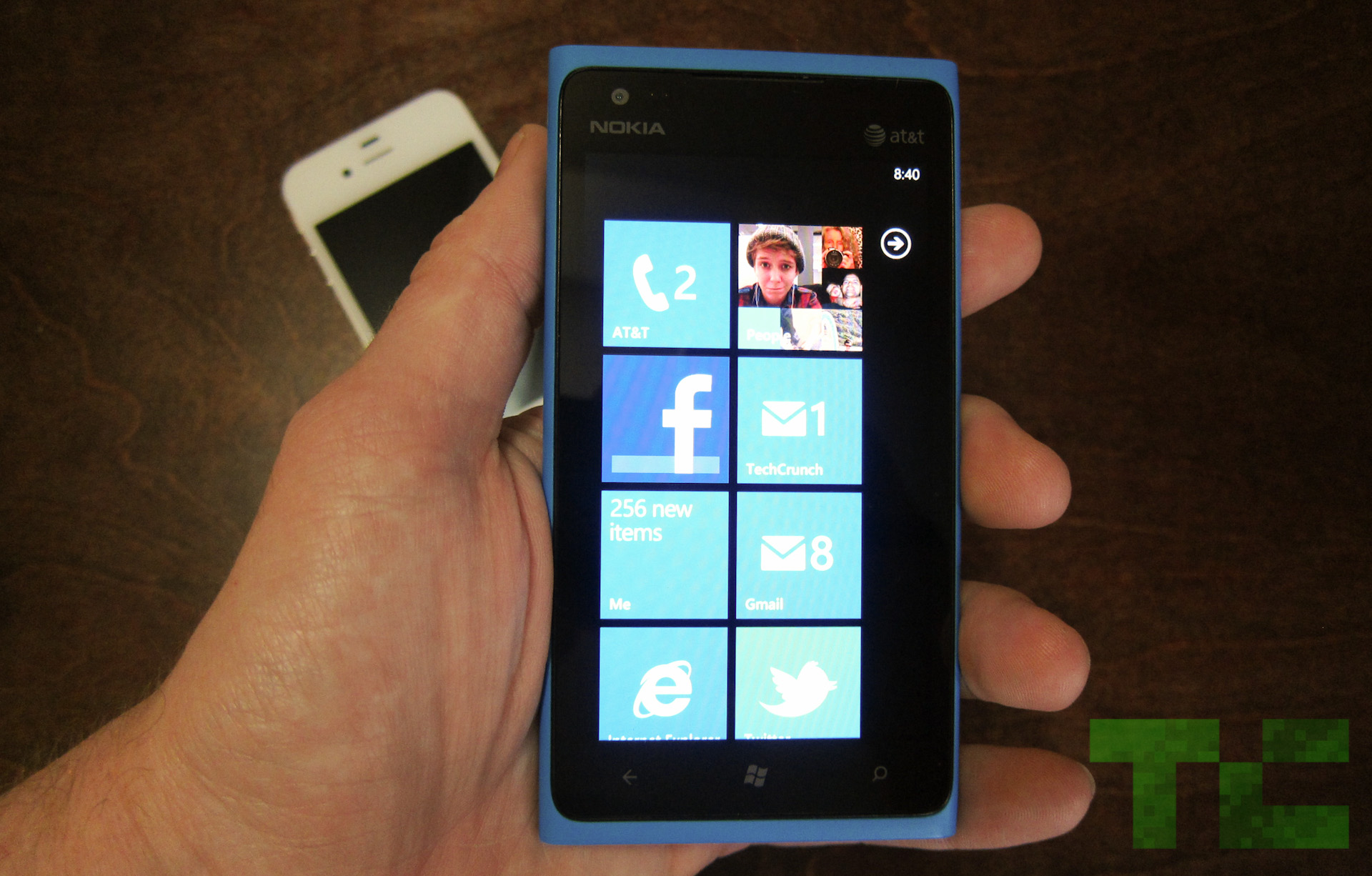
- Windows Phone is a refreshing joy to use
Cons:
- Poor color reproduction on the camera
- The display is a bit pixelated
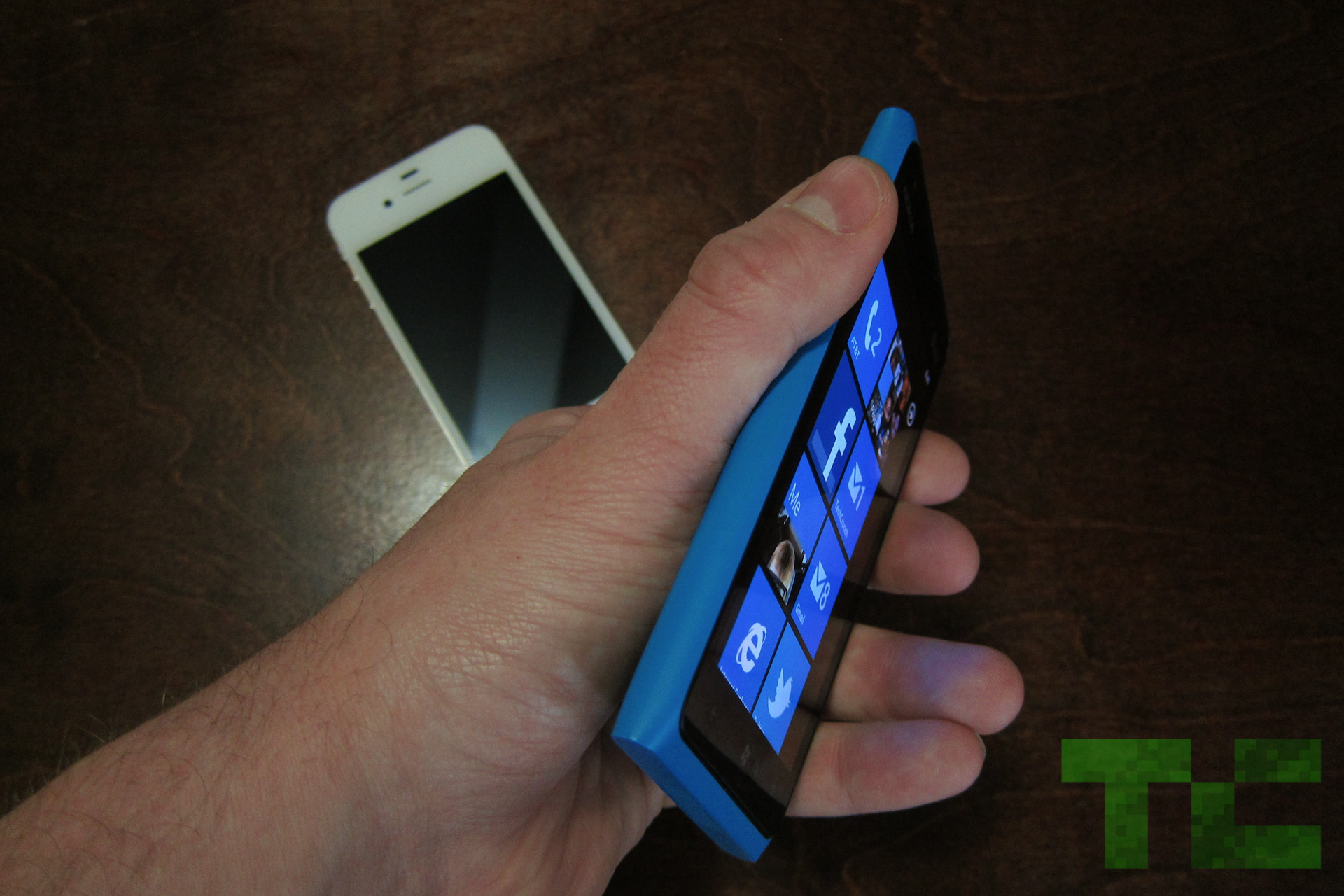
- If thin and light is your thing, this may feel clunky
Long Version
Hardware/Design:
The hardware on the Lumia 900 is top-notch. Nokia truly stepped it up, which says quite a bit considering that well-built hardware is one of the Finnish company’s fortes. The weight distribution is balanced, which allows the Lumia 900 to stand up on its own should you place it on the table.
It has rounded edges along the side, with a flat top and bottom. The matte finish feels great in the hand, and Nokia actually built the phone with blue and black materials so even a deep scratch shouldn’t leave an ugly mark. The volume, camera, and lock buttons on my review unit felt a bit loose in their sockets, but I’m fairly certain that’s my only complaint.
Micro USB is square on the top of the phone, and it always bothers me when phone makers get in the way of playing games while plugged in (battery suffers most during gaming, so we plug a lot as we play at home), but at least the design is beautiful.
The battery isn’t removable, but battery life is better than expected on this little smurf so I don’t see it as a huge setback.
To be honest, the phone is a bit bulkier than most of its competition but I see this as a good thing. It’s not cumbersome by any means, and actually feels a bit more expensive than an LG Spectrum or any other super light, super thin phone.
Software:
I’ve got a thing for Windows Phone. I’m honestly not sure where it came from — I’ve never been a huge Microsoft user — but I feel lucky to have seen the light.
Now, there are inherent cons that come along with Windows Phone, for now. For example, you won’t find as many apps on the Marketplace as you would on Android or iOS (though that number is growing, and Microsoft is banking on quality over quantity). Another issue is locked-down specs, which happen to be just a bit outdated, that Windows Phone partners must abide by. One of those — the worst one, I feel — is a 480×800 display resolution, which bums me out on a 4.3-inch screen.
But, Microsoft is adding more high-res options with the launch of Apollo, though that won’t help you much with the Lumia 900.
But back to the point.
The baked-in features of Windows Phone are excellent. Threaded messaging is far and away my favorite, as it lets you conduct conversations with friends over a variety of formats (Facebook chat, text, Windows Live messenger) all from one unified stream. Local Scout, powered by Bing, is a welcome alternative to Yelp, and the People and Me hubs make me actually enjoy social networking. Of course, there’s still work to be done here, but if you haven’t given Windows Phone a chance I highly recommend checking out this emulator on your phone and seeing if you perchance have a crush on the new kid on the block.
Nokia also added some smart software to the phone including a contacts transfer app, which will help you transition from Android, iOS or BlackBerry.
Camera:
Now for a little bad news, if I may.
I love the UI of the camera app, to be sure, but the actual images produced by the Lumia 900 camera aren’t all that great.
Here’s what I’m noticing: When you open up the camera and look through the viewfinder, everything looks beautiful. Whatever you see in the viewfinder is almost identical to what you’re seeing in real life, in front of the lens. But once you snap the picture, the image produced instantly changes color. This happens most frequently on Auto, and adjusting the settings based on your environment will help this.
But the fact of the matter is, we take pictures quickly on our phones and don’t often want to mess around with settings unless we have the time. (None of us have the time.) Furthermore, some settings don’t quite match up with what you’d expect. White Balance in particular was a bit janky. That said, I wish color reproduction were a bit better.
On the other hand, I do like the physical shutter button on the side of the phone. It lets you half-press to focus, just as you would on an SLR, and then full-press to capture.
Video recording was smooth and I have no real complaints there.
Display:
Here’s the thing with this display. It’s the same exact size and resolution as the Galaxy S II (though the Lumia has an AMOLED display as opposed to a Super AMOLED Plus display), which was considered a beast for the past year. With the Galaxy S III on the horizon and 720p displays flooding the market, I’d be hard-pressed to recommend this phone to anyone who’s recently upgraded to a new super phone. In tech, it’s very difficult to go backwards.
At the same time, upgraders coming off of a one- to two-year-old phone shouldn’t have too much of a problem unless you’re really keen on display issues. Graphic artists and designers, for example, will surely notice the pixelated resolution. And Windows Phone only compounds that. It’s heavy on images, even on the home screen, and white text on a black background makes the resolution look even choppier.
However, one important win for the Lumia 900 display is its ClearBlack technology. I was able to use the phone in bright, direct sunlight (with my sunglasses on, mind you) and had absolutely no problem viewing everything on the display. I think this is a pretty big deal, since every phone I’ve ever used becomes really difficult to view in sunlight.
Performance:
It’s tough to measure the Lumia 900 against Android phones or the iPhone simply because any of the benchmarking we’d do would be irrelevant anyways — they’re different platforms. But I will tell you this: The Lumia 900, and specifically Windows Phone, is snappier than any Android phone I’ve ever played with.
Granted, animations and transitions are a half a second longer than they are on Android, but they’re beautiful and as a whole, the OS never shows any sort of lag. Pair that kind of speed with a little 4G LTE radio, and the Lumia 900 surely won’t disappoint in the performance department.
I’m also a big fan of the IE9 mobile browser in this bad boy. It’s quick like lightning, as proven by its BrowserMark score of 28769.
Battery:
Battery life on the Lumia 900 is actually quite impressive. In real-world scenarios the phone lasts through the entire day, even with 4G on the entire time. It seems like phone makers are finally figuring out what it takes to make 4G viable in the battery department, and we’re glad to see it.
As far as official testing goes, the Lumia 900 lasted a full five hours. Our testing includes a non-stop Google Image search — the phone never sleeps or rests from 100 percent green to death. At any point I can make a call, play a game, or browse the web, all of which I did with the Lumia.
To give you a little context, the Droid 4 only hung in there for three hours and forty-five minutes while the Droid RAZR Maxx (Motorola’s battery beast) stayed with me for a staggering eight hours and fifteen minutes.
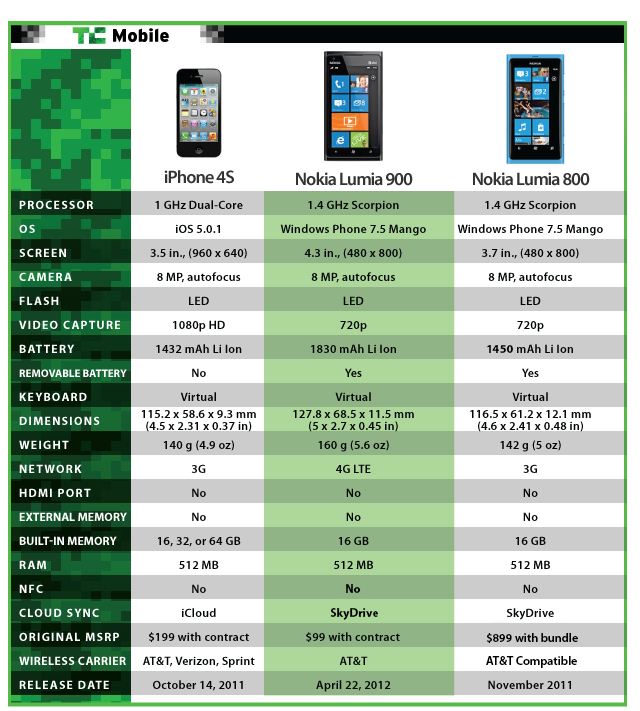
Head-To-Head With The Lumia 800 and iPhone 4S:
Check out our thoughts on this match-up here.
Hands-On Video: Initial Impressions
Conclusion
My editors always tell me to close these reviews with a definitive stance, as I should, but this phone makes it difficult. I wouldn’t, and couldn’t, tell a smartphone enthusiast who’s been using a Galaxy Nexus or iPhone 4S to upgrade to this, simply because it wouldn’t be an upgrade. You’d notice the camera issues right off the bat, and the screen would probably bug you.
But this doesn’t make the Lumia 900 a bad phone at all. It’s a great phone. Nokia kicks ass at call reception, and while the specs are a bit outdated, hardware is beautiful and sturdy. As I said before, anyone coming off of a phone over a year old would be lucky to own a Lumia 900.
Especially for free.
Check out all of our Lumia 900 review posts here.
Continue Reading:
Nokia Lumia 900 Review: This One’s A No-Brainer