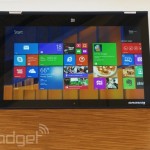
With enough time, even the best products start to feel stale. Take the original Lenovo IdeaPad Yoga 13 : Thanks to a unique hinge that allowed the screen to fold all the way backward, it was the most versatile Windows 8 convertible on the market (and it had lots of competition, too). But as other PC makers started releasing newer Ultrabooks with sharper screens and longer battery life, it became harder and harder to recommend it. In fact, though we made a nod to the original Yoga in our last laptop buyer’s guide , we basically told people to wait for a refresh. Turns out, that was wise advice. Lenovo recently started shipping the Yoga 2 Pro , and it brings a little more than just a fresh CPU. In addition to running new Haswell processors, it rocks a thinner and lighter design, a backlit keyboard and a 3, 200 x 1, 800 display — a big step up from the 1, 600 x 900 panel used in the last gen. And, given that this makes use of Intel’s fourth-generation Core chips, it also promises longer battery life — up to nine hours, according to Lenovo. One thing that hasn’t really changed: the price. Even now that it has a crisper screen, it still starts at around $1, 000, with a special promotion driving the starting price as low as $929. That sounds fantastic on paper, but what’s it like to actually use? Look and feel The rest of the Engadget staff usually leaves my desk alone: It’s a bit of a mess, and besides, you never know when you’ll be interrupting a benchmark test in progress. And yet, everyone who’s stopped by has wanted to play with the Yoga 2 Pro. It’s not even that sexy, per se. But, kind of like a fur coat or warm towel, it’s just begging to be touched. As with other Lenovo IdeaPad laptops, the lid and bottom side are covered in a pleasant satin finish that stands up well to scratches and also masks fingerprints. Lift the lid and you’ll find the keyboard deck is fashioned out of a rubbery material with a leather-like texture. This, too, holds up well over time; as I finish this review, the machine is about as clean and scratch-free as it was the day I unboxed it. It’s also just incredibly well-made. For one thing, it bears the same book-inspired shape as previous Lenovo Ultrabooks, which is to say the edges are ever so slightly recessed, sort of like pages stuffed between a front and back cover. The hinge is sturdy, of course — it has to be. Like last time, the screen folds over in a smooth, fluid motion, but there’s just enough resistance so that you’ll never doubt its durability. Even in regular laptop mode, the display mostly stays put when you touch it, which is unfortunately something we can’t say about other touch-enabled notebooks. Additionally, Lenovo added a rubber rim to the edges of the screen, so that when you stand it upside down in Tent Mode, it will have a little extra cushioning built in. The palm rest is solid, too; it won’t creak when you hold it in one hand. All told, then, this isn’t the sleekest PC in the world, but it doesn’t matter: This thing is durable and well-built. Practical , even. Tell that to all your friends with a scratched MacBook Air, or a Samsung Series 9 covered in fingerprints. To anyone upgrading from the Yoga 13, the Yoga 2 Pro will seem noticeably lighter: It now weighs about a third of a pound less than last year’s model. For everyone else, it will simply feel like a normal Ultrabook, which is to say it’s reasonably compact. At 3.06 pounds, it weighs exactly the same as the Samsung ATIV Book 9 Plus . And at 0.61 inch thick, it’s actually a little skinnier than the MacBook Air is at its widest point, which is impressive when you remember the Air doesn’t even have a touchscreen adding bulk. What’s more, though the Yoga 2 Pro is about as wide as other 13-inch Ultrabooks, it’s a little shorter lengthwise , giving it a slightly smaller footprint. If you do some research, you will , of course, find even lighter Ultrabooks (see: the Acer Aspire S7 and Sony VAIO Pro 13 ), but both of those are regular touchscreen laptops, and don’t have the burden of a strong hinge like the Yoga does. So if it’s a convertible you’re after, this is actually impressively thin and light. The only somewhat uncomfortable thing about handling the Yoga 2 Pro is that when you flip the screen over into tablet mode, you can feel your fingers pressing against the keys on the back. As it happens, the keyboard gets disabled once you flip the screen past a certain point. Still, it’s a weird feeling, pushing your fingers against loose buttons instead of a flat surface. Even more interesting: Lenovo had the opportunity to change this. If you look at the ThinkPad Yoga , which was announced at the same time and hasn’t gone on sale yet, you’ll see the keyboard there flattens itself out when you go into tablet mode. Basically, what’s happening is the platform between the keys raises so that it sits level with the buttons. Meanwhile, the keys get locked into place so that you can’t press them. It’s not a perfect solution — you can still feel the individual buttons — but it’s a vast improvement over the old setup. According to Lenovo, though, that so-called Lift and Lock keyboard would have required a thicker hinge, along with more space inside the chassis. Lenovo was betting consumers would rather have a thin machine than one with a self-flattening keyboard. Like last time, the Yoga uses a proprietary rectangular charging port that could easily be mistaken for a USB socket, if not for the fact that it’s been painted yellow, not blue. Just next to it, on the left-hand side, you will indeed find a blue USB 3.0 connection, along with a micro-HDMI port and a full-sized SD card reader. Over on the other side is a USB 2.0 port, a headphone jack, screen orientation button and a volume rocker for you to use in tablet mode. The small power button also now lives on this side (it used to sit on the front edge). To recap, then, since an Ethernet jack has become an impossibility for most Ultrabooks, the only thing you might be missing here is a full-sized HDMI port. In which case, it’s time to buy yourself a dongle. Keyboard and trackpad With the exception of backlighting, the keyboard hasn’t changed since the original Yoga came out. That’s mostly a good thing. Like pretty much every Lenovo laptop we’ve ever tested, the buttons here offer a healthy amount of travel, and are backed by a sturdy keyboard deck that doesn’t move or bend while you type. And though this technically isn’t the same layout you’ll find on one of Lenovo’s ThinkPad machines, the buttons are about as well-spaced, with the same easy-to-hit “U” shape. As ever, the keyboard is comfortable and easy to type on, though the Enter, Caps Lock and Tab keys are all still on the small side. It’s sort of puzzling that Lenovo’s been at this for so many years and still hasn’t figured out how to avoid cramping on a 13-inch laptop keyboard. The large glass trackpad here isn’t perfect, but it comes close. All the stock Windows 8 gestures (swiping for the Charms Bar, toggling through apps) work well, as does pinch-to-zoom and two-finger scrolling. We even had an easy time with single-finger tracking, which seems to be the Achilles’ heel for most other laptop trackpads. Occasionally, though, the pad went rogue. When using two fingers to scroll horizontally through the Start Screen, I accidentally launched a program I didn’t mean to open. Other times, I ended up clicking on things in the browser when all I meant to do was drag the cursor around or scroll down the page. Display and sound We can’t confirm this, but we suspect the Yoga 2 Pro uses the same 3, 200 x 1, 800, 350-nit display we first saw on the Samsung ATIV Book 9 Plus. Which would be great news indeed: This panel is among the best in its class, right up there with the MacBook Pro’s Retina display. Not only is it incredibly sharp, but also the 72 percent color gamut ensures tones are vibrant without being oversaturated. The viewing angles are also wide, thanks to IPS technology and some very effective low-glare coating. If we have any hangups about the display, it’s that the 3, 200 x 1, 800 resolution is sometimes too sharp. And really, that’s more of a complaint about the software selection than this particular screen. In general, as we’ve tested laptops with resolutions above 1080p, we’ve noticed that not all apps have been optimized for screens this sharp. Even on Windows Media Player, a built-in Windows app, the playback controls at the bottom of the screen are ridiculously tiny. Ditto for just about every site we went to in Google Chrome (IE 11 and Firefox were fine). We’re sure the software support will improve over time, as 2, 560 x 1, 440/3, 200 x 1, 800 screens become more common, but until then, having such a high pixel count actually feels like an occasional drawback. The two speakers, located on the bottom side of the laptop under the palm rest, push out decently loud sound; when listening by myself in a quiet room, I typically had the volume well below its median setting. The quality isn’t bad, either. Songs do sound a bit trapped at top volume, but any tinniness is still minimal compared to other laptops in this class. Performance and battery life PCMark7 3DMark06 3DMark11 ATTO (top disk speeds) Lenovo IdeaPad Yoga 2 Pro (1.6GHz Core i5-4200U, Intel HD 4400) 4, 676 5, 688 E1, 713 / P914 / X281 546 MB/s (reads); 139 MB/s (writes) Samsung ATIV Book 9 Lite (1.4GHz “quad-core” processor, AMD Radeon HD 8250) 2, 060 2, 814 E749 / P530 550 MB/s (reads); 139 MB/s (writes) Lenovo IdeaPad U430 Touch (1.6GHz Core i5-4200U, Intel HD 4400) 3, 845 4, 499 E1, 448 / P742 113 MB/s (reads); 110 MB/s (writes) Samsung ATIV Book 9 Plus (1.6GHz Core i5-4200U, Intel HD 4400) 4, 973 5, 611 E1, 675 / P867 / X277 547 MB/s (reads); 508 MB/s (writes) Acer Aspire S7-392 (1.6GHz Intel Core i5-4200U, Intel HD 4400) 5, 108 5, 158 E1, 724 / P952 / X298 975 MB/s (reads); 1.1GB/s (writes) Sony VAIO Pro 13 (1.6GHz Intel Core i5-4200U, Intel HD 4400) 4, 502 4, 413 E1, 177 / P636 / X203 1.04 GB/s (reads); 479 MB/s (writes) Sony VAIO Duo 13 (1.6GHz Core i5-4200U, Intel HD 4400) 4, 440 6, 047 E1, 853 / P975 / X297 546 MB/s (reads); 139 MB/s (writes) Sony VAIO Pro 11 (1.8GHz Core i7-4500U, Intel HD 4400) 4, 634 N/A E1, 067 / P600 / X183 558 MB/s (reads); 255 MB/s (writes) Technically, the Yoga 2 Pro starts at $1, 049, but if you purchase it at Best Buy, you’ll only have to pay $1, 000 — and you’ll get the same specs you would have if you bought the $1, 199 configuration listed on Lenovo’s site. Either way, for a fairly low price, you’re getting basically the same specs (1.6GHz Core i5 Haswell processor, 4GB of RAM, 128GB SSD) that you’d find on a $1, 400 Ultrabook. What this means, then, is that for a fairly mid-range price, the Yoga 2 Pro offers the performance of a high-end machine. You can see that in the benchmark scores listed above, but also in real-world performance. The machine takes just nine second to boot into the Start Screen. Read and write speeds are also in line with other machines in this class — well, at least the ones that aren’t using PCIe SSDs, anyway. In our tests, we saw peak read speeds of 546 MB/s, with writes maxing out at 139 MB/s. If you take a look at our list up there, you’ll see many other Ultrabooks turned in similar numbers, with the Sony VAIO Duo 13 notching the exact same results. Battery life Lenovo IdeaPad Yoga 2 Pro 6:32 MacBook Air (13-inch, 2013) 12:51 MacBook Pro with Retina display (13-inch, 2013) 11:18 Sony VAIO Duo 13 9:40 Samsung ATIV Book 9 Plus 8:44 Sony VAIO Pro 13 8:24 Lenovo IdeaPad U430 Touch 7:53 Acer Aspire S7-392 7:33 Acer Iconia W700 7:13 Sony VAIO Pro 11 6:41 Microsoft Surface Pro 2 6:27 Dell XPS 14 6:18 MacBook Pro with Retina display (13-inch, 2012) 6:07 Lenovo IdeaPad Yoga 13 5:32 Dell XPS 12 (2012) 5:30 Toshiba Kirabook 5:12 Lenovo ThinkPad Helix 5:07 (tablet only)/7:24 (with dock) Lenovo ThinkPad X1 Carbon 5:07 Samsung ATIV Book 7 5:02 ASUS Transformer Book 5:01 (tablet only) Lenovo ThinkPad X1 Carbon Touch 5:00 MSI Slidebook S20 4:34 Samsung ATIV Book 9 Lite 4:33 Acer Aspire S7-391 4:18 ASUS TAICHI 21 3:54 Microsoft Surface Pro 3:46 At first we thought our battery test had gone terribly wrong. You see, Lenovo rates the Yoga 2 Pro for up to nine hours of run time. Also, the battery has the exact same capacity as last time (54Wh). So, when we got just six and a half hours of video playback (WiFi on, brightness fixed at 65 percent), we were, needless to say, a little disappointed. All the more so because we’ve gotten spoiled by long-lasting laptops; until now, the shortest-running Haswell Ultrabook we’d seen was the Acer Aspire S7, and even that managed 7.5 hours. Heck, even last year’s Yoga 13 lasted 5.5 hours, and it didn’t even have a Haswell chip. Weren’t Intel’s new processors supposed to deliver a bigger improvement? So we were puzzled at first, but then we read Lenovo’s fine print. Though the company allows up to nine hours of idle time, it claims just six hours of video playback. Indeed, a Lenovo rep told us the company’s own engineers got around seven hours using the same battery test that we run. Also, the battery capacity has stayed the same at 54Wh, so although the Yoga 2 Pro benefits from a more power-efficient processor, it also has a sharper display draining the battery life faster. Given all that, then, it’s clear that our results are normal for this machine; they’re just not very impressive. Software and warranty If you’ve purchased a Yoga, it’s safe to assume you’re already sold on the versatile design. Still, once the novelty wears off, Lenovo wants to give you some ideas on how to make the most out of each usage mode. Included on the Yoga 2 Pro and upcoming ThinkPad Yoga is Yoga Picks, an app that automatically detects when you’ve flipped the screen into a different position, and gives you suggestions on which apps would be most appropriate. So, when you flip the screen back into Stand mode with the keyboard facing away from the screen, you’ll see a notification in the upper-right corner of the screen, the same way you’d see a brief pop-up if you were to insert a USB device. Click on that notification and you’ll see a list of apps that would make sense in that screen-only mode (think: Netflix and other lean-back programs). In addition to Netflix or Skype or whatever else you might have installed, Lenovo’s also thrown in a few new apps of its own, all of which were designed to be used in more than just regular, old laptop mode. Chief among them is Yoga Chef, which lets you use motion control to move through menus and recipe pages (Bing Food & Drink, the kitchen app built into Windows 8.1, works the same way). In our tests, we ultimately got the motion control to work, but even after playing around with it for a while, it still usually took us a few tries. On the plus side, the app is launching with a healthy (har) selection of recipes. Also on board: Yoga Camera Man, which includes lots of filters for spicing up your photos. Yoga Photo Touch, meanwhile, is a photo editor that also lets you arrange pictures into collages or adorn them with text bubbles (yep, there’s an app for that). Moving on, Yoga Phone Companion allows you to share files between your Android phone and PC using either SMS or MMS messages. You can also call phone contacts or play media files on your PC, even if they’re actually stored on your mobile. It’s all very similar to Samsung’s SideSync app, except whereas Samsung’s app can only be used with a Samsung phone, Lenovo’s will work on any Android device. And whereas we had some trouble connecting Samsung’s ATIV Book laptops with our GS4, we had no problem getting up and running with Yoga Phone Companion. Just scan a QR code to download Lenovo’s app, and then make sure your PC and phone are on the same network. If for some reason your phone doesn’t detect your PC, the PC app will helpfully offer up the IP address for you to enter manually. Easy peasy. Additionally, Lenovo bundled a small number of third-party apps, including Evernote Touch, Zinio’s magazine store, Kindle, eBay, the music-streaming service rara.com and Hightail (formerly YouSendIt). All in all, you guys are getting off relatively scot-free as far as bloatware is concerned. As for warranty coverage, the Yoga 2 Pro comes with a one-year plan, including 24/7 phone support. Configuration options The Yoga 2 Pro starts at $1, 049 with a 1.7GHz Intel Core i3-4010U processor, Intel HD 4400 graphics, 4GB of RAM and a 128GB SSD; for $1, 199, you can get it with a 1.6GHz Core i5-4200U CPU. As Lenovo is known to do, though, it’s currently offering all of its configurations at a discount: as of this writing, the Core i3 model going for $929 and the Core i5 version going for $999. Meanwhile, Best Buy is selling a Core i5 version (4GB of RAM, 128GB SSD) for just $1, 000. If you live here in the states (and miss the sale on Lenovo’s site), just bypass Lenovo.com and go with the Best Buy version , assuming Core i5 is what you had in mind. Then again, that Best Buy model is just one configuration. If you want even better specs, you’ll need to head back to Lenovo.com. For instance, the company is also offering a unit with a Core i5 processor and 256GB SSD, priced at $1, 399 (currently going for $1, 149). Add Core i7 to the mix and the price rises to $1, 499, or $1, 299 with this sale that’s going on. (This configuration also has 8GB of memory and a 256GB SSD, by the way.) Finally, at the top of the line, there’s a $1, 749 model with Core i7, 8GB of RAM and a 512GB solid-state drive. That’s going for $1, 599 on sale. The good news is that whichever one you get, that gorgeous 3, 200 x 1, 800 display comes standard. The competition Though there are more Windows 8.1 laptops than we could ever find time to review, there are actually only a few convertibles good enough for us to recommend. The Yoga 2 Pro is one, of course, but we’d also encourage you to check out the Dell XPS 12, the Sony VAIO Flip 13 and Sony’s second-generation slider, the VAIO Duo 13. Starting with the XPS 12, it starts at $1, 000, making it one of the few other high-end Ultrabooks that starts as low as the Yoga 2 Pro. For the money, it boasts an attractive carbon fiber design, comfortable keyboard and a 12.5-inch, 1080p display with wide viewing angles. Though you can’t rest it upside down in stand mode, you can flip the screen around in its hinge so that it faces away from the keyboard, basically matching the Yoga in terms of functionality. And though we haven’t tested it since it got refreshed with Haswell, Dell is promising nearly nine hours of battery life — an obvious improvement over the new Yoga. Meanwhile, the Flip 13 ($1, 100 and up) has a design that’s similar to the XPS 12. It, too, comes with a 1080p display. Since we haven’t tested it in that size, though, we can’t vouch for the battery life and performance. As for the VAIO Duo 13, it starts at $1, 400 with a 1080p display and a battery that far outlasts the Yoga 2 Pro. Overall, its slider design is less convenient (and less versatile) than the Yoga’s, but it does at least support pen input, which might be a requirement for some shoppers. Additionally, there’s the ThinkPad Yoga we mentioned earlier. Again, whereas the Yoga 2 Pro dazzles with a super-sharp 3, 200 x 1, 800 display, the ThinkPad Yoga is all about the Lift and Lock keyboard. Remember, though, that the keyboard mechanism adds to the overall bulk, so you’ll have to decide if you’d rather have as thin a machine as possible, or one where the buttons flatten out in tablet mode. If you can do without the versatility of a Yoga, there are plenty of regular touchscreen Ultrabooks, almost all of which offer longer battery life than the Yoga 2 Pro. These include the Acer Aspire S7 ($1, 400 and up), the Sony VAIO Pro 13 ($1, 150 and up) and also the HP Spectre 13 ($1, 000 and up), though we haven’t had a chance to test that yet. Wrap-up More Info Lenovo IdeaPad Yoga 2 Pro hands-on Lenovo’s Yoga 2 Pro now available in the US, starts at $1, 049 Lenovo IdeaPad Yoga 13 review The Yoga 2 Pro addresses many of our complaints about the original: The display is sharper and the overall package has been slimmed down so that it’s noticeably thinner and lighter. At the same time, the Yoga 2 Pro is still the most versatile Windows convertible we know of. It’s also well-built, with a sturdy hinge and build materials that dutifully hide all your grimy fingerprints. Finally, despite that jump to a much more pixel-dense display, the Yoga is as affordable as ever, at $1, 049-plus. Given the price, we can’t knock it too much for its imperfections — namely, a few shrunken keys and relatively short battery life. If that battery life is a concern, we’ve already named some alternatives, and if you’d rather have a self-flattening keyboard, you’ll want to wait for our review of the ThinkPad Yoga. Those caveats aside, it’s tough to argue with a machine that offers the same speed, durability and display quality as systems that cost hundreds of dollars more. Edgar Alvarez and Daniel Orren contributed to this review. Filed under: Laptops , Lenovo Comments
See more here:
Lenovo IdeaPad Yoga 2 Pro review: a high-end Ultrabook that’s actually affordable

 A long lost Thanksgiving tradition is resurrecting from the grave. The annual Mystery Science Theater 3000 marathon will return this year. It’s a holiday miracle! Read more…


 Hugh Pickens DOT Com writes “The Boston Globe reports that the pending use of GPS tracking devices, slated to be installed in Boston police cruisers, has many officers worried that commanders will monitor their every move. Boston police administrators say the system gives dispatchers the ability to see where officers are, rather than wait for a radio response and supervisors insist the system will improve their response to emergencies. Using GPS, they say, accelerates their response to a call for a shooting or an armed robbery. ‘We’ll be moving forward as quickly as possible, ‘ says former police commissioner Edward F. Davis. ‘There are an enormous amount of benefits. . . . This is clearly an important enhancement and should lead to further reductions in crime.’ But some officers said they worry that under such a system they will have to explain their every move and possibly compromise their ability to court street sources. ‘No one likes it. Who wants to be followed all over the place?’ said one officer who spoke anonymously because department rules forbid police from speaking to the media without authorization. ‘If I take my cruiser and I meet [reluctant witnesses] to talk, eventually they can follow me and say why were you in a back dark street for 45 minutes? It’s going to open up a can of worms that can’t be closed.’ Meanwhile civil libertarians are relishing the rank and file’s own backlash. ‘The irony of police objecting to GPS technology for privacy reasons is hard to miss in the aftermath of United States v. Jones, ‘ says Woodrow Hartzog. ‘But the officers’ concerns about privacy illustrate just how revealing GPS technology can be. Departments are going to have to confront the chilling effect this surveillance might have on police behavior.'” Read more of this story at Slashdot.

 Google Maps is replacing a satellite image that shows the body of Kevin Barrera, a 14-year-old who was murdered in 2009 in Richmond, California. The boy’s father, Jose Barrera, apparently found out about the picture just a few days ago, commenting “When I see this image, that’s still like that happened yesterday.” Google says it will take eight days to swap it out. “Google has never accelerated the replacement of updated satellite imagery from our maps before, but given the circumstances we wanted to make an exception in this case,” Google Maps VP Brian McClendon told the San Francisco Chronicle. I don’t care to reproduce the sad image here, but the San Francisco Chronicle did. ” Google to fix map image showing slain boy ” (SF Chronicle)