Chrome OS update comes with Spectre fix and new screenshot shortcut

Chrome OS version 64 has made its way to stable channel, which means it’s hitting your device very, very soon if it hasn’t yet. It’ll add a handful of new features and improvements, including a screenshot shortcut if you have a Chromebook with a 360-degree hinge like the Acer Spin . You only have to press the power and the volume down buttons at the same time, like what you’d do on an Android phone. It also adds a flag to make Split View easier to activate and gives Android apps the ability to run in the background. In addition, the update improves your lockscreen’s performance, presumably making it faster, and finally enables the use of VPN for apps downloaded from Google Play. While Google is keeping the list of bug fixes under wraps until most people have installed the update, it has revealed that the version includes “additional browser mitigations” to protect your device against the Spectre and Meltdown vulnerabilities. Chrome OS version 64, of course, comes with version 64 of the Chrome browser. That you’re also getting improved pop-up blockers, as well as another feature that can protect you against malicious auto-redirects. Via: 9to5google Source: Chrome releases

Link:
Chrome OS update comes with Spectre fix and new screenshot shortcut

Ableton Live will remember your riffs if you forget to press record

Ableton Live is popular with computer musicians thanks to its flexibility. As the name suggests, it enables live performance of electronic music, but it’s also a robust music making tool in its own right. Fans of Live are long overdue an update, as the last full release (Live 9) was four years ago. Today Ableton revealed Live 10, which promises to make it even easier to translate ideas into anthems. Aside from Live’s double duty as performance and creation software, one of the biggest lures for budding producers is its workflow. Ableton designed Live to work on one screen, with clever shortcuts to jump between common tasks. Live 10 builds on that with new tools to do more with less. For starters, you can now edit multiple MIDI clips side by side, and zoom in for precision work with one key. Most musicians have struggled with getting a part of their track just right. Currently, if you start playing a project back, you won’t hear MIDI instruments until the next note in the clip. This means if you start playback mid-note, you won’t hear it — annoying for long strings sounds, for example. A new “Note chasing” feature solves that, meaning all notes will play even if halfway through. It’s a low key change, but one that will please anyone who’s heard the same part over and over again just to get to where you want to edit. For those (like me) who seem to give their best performance while not recording, there’s “Capture.” It sounds similar to a feature in Apple’s Logic Pro that remembers all MIDI input in the background, even if you’re not recording. So, if you happen to play a killer riff along to a beat, but weren’t recording, Live will have snagged it anyway so you can retrieve it. For advanced users, Ableton’s “Max for Live” kit has long allowed you to create tools like Capture , or software instruments from scratch. Max is now built right in to Live 10 (previously it was a $200 add-on), but it’s good to see some of the more popular ideas made in Max find their way into the standard version of the software. Other updates include a new built-in synthesizer call “Wavetable” for squelchy sounds a-la Stranger Things and three new audio effects (Pedal, Drum Buss and Echo). Owners of Push — Ableton’s companion hardware controller — can look forward to improved graphics and visualizations so you can keep your eyes away from the computer (and look less like you’re checking your email on stage). Despite the announcement today, eager users will still need to wait a little longer. Ableton Live 10 won’t be available until early 2018. The good news is, that you can snag a copy of Live 9 right now if you don’t already have it at 20 percent discount, which will automatically be upgraded to the new version once it lands. Once released, Live 10 will cost $449 for the standard version and $499 for the suite with all the software instruments (this is the one you probably want). Source: Ableton

More:
Ableton Live will remember your riffs if you forget to press record

Android O teases big changes to save your battery

Google I/O is only a few months away — but just like last year, we won’t have to wait until then to get our first taste of what’s coming to Android. Today, Google is releasing a developer preview of Android O, just over one year after first dropping details on Android 7.0 Nougat . Just like last year, the company is highlighting a handful of major features and letting developers know how they can try it out. But as is often the case with preview releases, Android O is not ready for regular users and not for the faint of heart. Judging from the info Google has released today, Android O doesn’t have a big, attention-grabbing consumer feature like split-screen multitasking. Probably the closest is a change to how the system handles notifications. Android will allow for new “notification channels, ” which from Google’s somewhat-vague description sound like a way for developers to roll up various types of notifications into a bundle a user can browse. An example screenshot Google provided showed a news app with 10 different “categories” of notifications, so you can see all the tech news notifications in one shot. It’s the kind thing we’ll need to see in action to judge, but it could potentially help to simplify a messy notification window. Another pretty major change is called “background limits.” While it’s not something a user will interface directly with, it could crucially save battery life, something Google has focused on in Android for a while now. Background limits will do just what it says: put limits on what apps can do in the background, across three main areas. Background services, location updates and “implicit broadcasts” will all be subject to automatic limiting by Android to help developers create apps that don’t trash your battery life. Google’s initial release doesn’t give much info on how this will affect the functionality of apps, but the company admits that it’s a “significant change” to Android. Therefore, it’s providing a lot of documentation on what’s changing and how to make apps work in the new system — we haven’t had a chance to review it yet, but we’ll update this post with anything significant we learn. Other features worth mentioning include a picture-in-picture mode for phones (the feature came to tablets last year), “adaptive” app icons that should look native to multiple phone launchers, better keyboard navigation for devices like Chromebooks and support for autofill apps. Google compares these apps to password managers; it sounds like it’ll be an improved way to manage all the info you get tired of having to enter over and over again. Developers will be able to try Android O out in the official Android emulator, but if you want to try it on actual hardware you’ll have to download and flash your device. Google says that brave developers can do this with the Pixel, Pixel XL, Pixel C, Nexus 5x, Nexus 6P and Nexus Player. If you’re interested in building apps to work with Android O and Android Wear 2.0, that’s available in the emulator as well. Android O isn’t being pushed out to the beta channel (where just about anyone can try it) just yet, so only try this if you’re really game for potentially wreaking havoc on your chosen device. For everyone else, Google says it’ll have a lot more details on Android at I/O in May — we’ll probably see the full beta release right around the, as well.

More:
Android O teases big changes to save your battery

Brains can recover some ‘lost’ memories

For the longest while, researchers believed that you could only preserve a memory in your brain if the relevant neurons were active. However, it now looks like this isn’t always the case — and that could be a tremendous help to anyone suffering from short-term memory loss. Scientists have discovered that small jolts of electricity to the brain (specifically, a pulse of transcranial magnetic stimulation) can revive recent memories. Your mind can slow near-term memories down to a dormant state where they’re in the background, but remain ready to come back when necessary. You can’t apply this method to long-term memories (you likely need different techniques for that), so don’t expect to revisit your childhood with a zap to your head. However, the findings should improve our understanding of how the brain works — it’s already clear that memory is more complex than we thought. And in the long run, there’s a chance this could lead to treatments for Alzheimer’s and other conditions where regaining short-term memories could greatly improve a patient’s quality of life. Via: Motherboard Source: Science

See more here:
Brains can recover some ‘lost’ memories

Apple releases iOS 10.1, adds Portrait mode to the iPhone 7 Plus

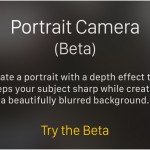
The Portrait mode for Apple’s iPhone 7 Plus has been in the works for months, and now it’s ready for the masses… sort of. 7 Plus users running beta software have been able to shoot photos full of artificial bokeh for over a month now, but Apple just pushed out its iOS 10.1 update and Portrait mode came along for the ride. Now, here’s the thing: even though you don’t need to be enrolled in the iOS beta program to use the feature anymore, the feature itself still isn’t completely done. Once the update is installed, the camera app asks if you’d like to “try the beta” when you swipe into the new Portrait position. Our professional recommendation? Dive right in. Portrait mode might not be completely complete, but it’s still capable of producing seriously nice headshots. In case you missed it the first time around, the feature uses the iPhone 7 Plus’s two cameras in tandem — the primary 12-megapixel sensor captures the image as normal, but the second, wide-angle sensor is used to determine how far away the subject is. All of that data gets mashed up into a nine -layer depth map, providing the context needed to artfully blur out backgrounds while keeping faces and subjects closer to the phone remain crisp and intact. Apple’s goal was to build a dead-simple photography experience that yields pictures that look like they were shot on expensive SLR cameras, and for the most part, Apple’s work is very impressive. This photo represents well the sort of quality you can expect out of Portrait mode: the focus stays locked on the face and hands, and the windows in the background are blurred pretty dramatically. Thanks to that nine-layer depth map, you can see areas where blurring is very subtle, like the top of the subject’s head and the bottom of her scarf. You don’t need to take photos of people to get some mileage out of Portrait mode, either. Have cats prancing around? Or a sweet new mug you need to share? In my experience, as long as you’re within proper range (the app tells you when you are) and there’s enough contrast between the foreground and background, you’ll get that pleasant background blurring. It’s when you’re in well-lit environments with lots of similar colors that Portrait mode seems to have trouble — that’s often when you’ll see edges blurred when they shouldn’t be. Just check out this photo of a cactus precariously perched on a railing. The camera didn’t have trouble differentiating between the cool blue of the pot and the trees in the background, but it obviously had trouble telling where the cactus ended and the trees began. These disappointments are rare, though, and will probably get ironed out as people continue to put Portrait mode through its paces. Most of the big problems have been solved — now Apple just has to focus on the fine-tuning (which is obviously easier said than done). At this point, Portrait mode is still far from perfect, but there’s a lot to like about just how simple it is to use. It’s fast, it’s impressive and it’s only going to get better with time. Interested in taking it for a spin? Jump into your iPhone 7 Plus’s settings and mash that software update button — it’ll show up sooner or later.

See the original article here:
Apple releases iOS 10.1, adds Portrait mode to the iPhone 7 Plus