Google making the Web faster with protocol that reduces round trips

Can Google’s QUIC be faster than Mega Man’s nemesis, Quick Man? Josh Miller Google, as is its wont, is always trying to make the World Wide Web go faster. To that end, Google in 2009 unveiled SPDY , a networking protocol that reduces latency and is now being built into HTTP 2.0. SPDY is now supported by Chrome, Firefox, Opera, and the upcoming Internet Explorer 11 . But SPDY isn’t enough. Yesterday, Google released a boatload of information about its next protocol, one that could reshape how the Web routes traffic. QUIC—standing for Quick UDP Internet Connections—was created to reduce the number of round trips data makes as it traverses the Internet in order to load stuff into your browser. Although it is still in its early stages, Google is going to start testing the protocol on a “small percentage” of Chrome users who use the development or canary versions of the browser—the experimental versions that often contain features not stable enough for everyone. QUIC has been built into these test versions of Chrome and into Google’s servers. The client and server implementations are open source, just as Chromium is. Read 11 remaining paragraphs | Comments

Original post:
Google making the Web faster with protocol that reduces round trips

Attackers sign malware using crypto certificate stolen from Opera Software

Alan Cleaver Hackers penetrated network servers belonging to Opera Software, stole at least one digital certificate, and then used it to distribute malware that incorrectly appeared to be published by the browser maker. The attack was uncovered, halted, and contained on June 19, according to a short advisory  that Opera published Wednesday morning. While administrators have cleaned the system and have yet to find any evidence of any user data being compromised, the breach still had some troubling consequences. “The attackers were able to obtain at least one old and expired Opera code signing certificate, which they have used to sign some malware,” Wednesday’s advisory stated. “This has allowed them to distribute malicious software which incorrectly appears to have been published by Opera Software or appears to be the Opera browser. It is possible that a few thousand Windows users, who were using Opera between June 19 from 1.00 and 1.36 UTC , may automatically have received and installed the malicious software.” Read 3 remaining paragraphs | Comments

Original post:
Attackers sign malware using crypto certificate stolen from Opera Software

Kim Dotcom says Dutch firm deleted “at least 40 petabytes” of Megaupload data

Kim Dotcom (right) shares a lighthearted moment with colleague Finn Batato. Chris Keall A week ago, we reported that Kim Dotcom publicly accused LeaseWeb, a Dutch hosting company, of suddenly deleting all of Megaupload’s servers. The founder of Megaupload continues to fight legal battles worldwide concerning the shuttering of his file-sharing site. And he  wrote on Twitter that “all user data & crucial evidence for our defense [was] destroyed ‘without warning.’” LeaseWeb, for its part, defended its actions. On Wednesday, TorrentFreak published a new e-mail from Dotcom’s attorney to LeaseWeb, showing that Megaupload did request preservation of all of its data. “Megaupload continues to request that LeaseWeb preserve any and all information, documentation, and data related to Megaupload—as destruction by LeaseWeb would appear to be in violation of amongst other things the applicable civil litigation data preservation rules and would interfere with evidence in a criminal matter all of which may subject LeaseWeb to varying degrees of liability,” Ira Rothken, Dotcom’s counsel, wrote. The passage appeared in an e-mail to LeaseWeb’s lawyer, A.H. “Bram” de Haas van Dorsser, in March 2012. Read 10 remaining paragraphs | Comments

See original article:
Kim Dotcom says Dutch firm deleted “at least 40 petabytes” of Megaupload data

Can Apple read your iMessages? Ars deciphers “end-to-end” crypto claims

Aurich Lawson Ever since the National Security Agency’s secret surveillance program came to light three weeks ago, implicated companies have issued carefully worded statements denying that government snoops have direct or wholesale access to e-mail and other sensitive customer data. The most strenuous denial came 10 days ago, when Apple said it took pains to protect personal information stored on its servers , in many cases by not collecting it in the first place. “For example, conversations which take place over iMessage and FaceTime are protected by end-to-end encryption so no one but the sender and receiver can see or read them,” company officials wrote . “Apple cannot decrypt that data. Similarly, we do not store data related to customers’ location, Map searches or Siri requests in any identifiable form.” Some cryptographers and civil liberties advocates have chafed at the claim that even Apple is unable to bypass the end-to-end encryption protecting them. After all, Apple controls the password-based authentication system that locks and unlocks customer data. More subtly, but no less important, cryptographic protections are highly nuanced things that involve huge numbers of moving parts. Choices about the types of keys that are used, the ways they’re distributed, and the specific data that is and isn’t encrypted have a huge effect on precisely what data is and isn’t protected and under what circumstances. Read 15 remaining paragraphs | Comments

View post:
Can Apple read your iMessages? Ars deciphers “end-to-end” crypto claims

Hands-on with Windows 8.1 Preview: Windows 8 done right

Late last month, Microsoft announced a raft of interface changes that Windows 8.1 would introduce. We’ve been giving them a spin. As you might guess from the name, Windows 8.1 is an update to (and improvement on) Windows 8. The new user interface introduced in that operating system—the Start screen, touch-friendly “Modern” apps, the charms bar—is retained in Windows 8.1. What we see is a refinement and streamlining of these concepts. The new Start screen is a pleasing evolution of the old one. The differences are visible as soon as you log in. In 8.1, the Start screen offers a lot more flexibility over layout and tile sizing. By default, the Weather tile takes advantage of this, using a new double-height tile size to show the forecasts for both today and tomorrow, in addition to the current conditions. Read 22 remaining paragraphs | Comments

Visit site:
Hands-on with Windows 8.1 Preview: Windows 8 done right

Vast majority of malware attacks spawned from legit sites

Google The vast majority of sites that push malware on their visitors are legitimate online services that have been hacked as opposed to those hosted by attackers for the purposes of distributing malicious software, Google security researchers said Tuesday. The data, included for the first time as part of the safe browsing section of Google’s regular transparency report, further challenges the myth that malware attacks happen only on disreputable sites, such as those that peddle porn, illicit software (“warez”), and similar content. For instance, on June 9 only 3,891 of the sites Google blocked as part of its Safe Browsing program were dedicated malware sites, while the remaining 39,247 sites that were filtered offered legitimate services that had been compromised. In all, Google blocks about 10,000 sites per day as part of the program, which is designed to help people using Firefox, Chrome, and other participating browsers to steer clear of phishing scams and drive-by malware attacks. The program is also designed to inform webmasters of infections hitting their site and to take steps to fix the problems. In all, the Safe Browsing program helps protect about 1 billion people per day. Read 2 remaining paragraphs | Comments

View article:
Vast majority of malware attacks spawned from legit sites

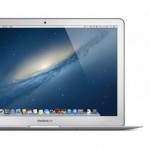
OS X is holding back the 2013 MacBook Air’s 802.11ac Wi-Fi speeds

Apple’s 2013 MacBook Air and new Airport Extreme Base Station are the company’s first 802.11ac products, and there are some bugs that need to be worked out. Apple Apple’s 2013 MacBook Air doesn’t look like much of an upgrade from the outside, but the story is different on the inside. We’ve spent the better part of a week using the new Air and measuring just how Intel’s new Haswell processors , the PCI Express-based SSD , and the 802.11ac Wi-Fi adapter change the laptop compared to last year’s model. The new Wi-Fi chip was the change that I was the most eager to get my hands on. I’m always looking to boost my network speeds, but I’ve been waiting for hardware based on the new 802.11ac standard to become more widely available before upgrading everything on my network. Reviewing both the new Air and Apple’s new 802.11ac-capable Airport Express Base Station simultaneously would give me a chance to see just how close the lauded “Gigabit Wi-Fi” would come to fulfilling its promises. I was unpleasantly surprised by the results. Both the 2012 and 2013 MacBook Airs use four antennas to transmit data—two to send data and two to receive it. Each set of antennas can theoretically send and receive 150Mbps (or 18.75MBps) using 5GHz 802.11n for a total of 300Mbps (37.5MBps). Under 802.11ac, the size of each stream is increased to 433Mbps, making for a maximum theoretical link speed of 866Mbps (108.25MBps) in the 2013 MacBook Air. Actual network transfer speeds rarely (if ever) come within spitting distance of these theoretical maximums, but we would at least expect the actual 802.11ac transfer speeds to increase by a similar percentage compared to 802.11n. Read 8 remaining paragraphs | Comments

More:
OS X is holding back the 2013 MacBook Air’s 802.11ac Wi-Fi speeds

Stow it no more: FAA easing ban on electronics during takeoff, landing

The words “please stow all electronic devices” may soon disappear from the scripts of flight attendants. The Federal Aviation Administration (FAA) is poised to lift its ban on the use of electronic devices aboard airline flights at elevations under 10,000 feet. It would also allow the use of e-readers, iPods, tablets, and phones in “airplane” mode even during take-offs and landings. The Wall Street Journal reports that the FAA is circulating a draft set of recommendations from an advisory panel that recommends relaxing the bans. Cell phone calls during flight would still be banned. T he report acknowledges that technology has changed dramatically since the FAA originally placed the ban on electronic devices during takeoff and landing back in the 1960s, when there were valid concerns about interference to aircraft communications from personal radios and other electronics.  The panel also admitted that having airlines each evaluate the safety of individual electronic devices before allowing them to be left on at low altitude “has become untenable.” Passengers are widely ignoring the ban already, and the FAA advisory panel’s report cited research that showed a third of airline passengers had “accidentally” left a device turned on for entire flights at least once. An FAA spokeswoman sent a statement to the Wall Street Journal that said that the FAA “recognizes consumers are intensely interested in the use of personal electronics aboard aircraft. That is why we tasked a government-industry group to examine the safety issues and the feasibility of changing the current restrictions. At the group’s request, the FAA has granted the two-month extension to complete the additional work necessary for the safety assessment.” Read on Ars Technica | Comments

View article:
Stow it no more: FAA easing ban on electronics during takeoff, landing

The ten fastest supercomputers on the planet, in pictures

A Chinese supercomputer known as Tianhe-2 was today named the world’s fastest machine, nearly doubling the previous speed record with its performance of 33.86 petaflops. Tianhe-2’s ascendance was revealed in advance  and was made official today with the release of the new Top 500 supercomputer list . Tianhe-2 was developed at China’s National University of Defense Technology and will be deployed in the country’s National Supercomputing Center before the end of this year. “The surprise appearance of Tianhe-2, two years ahead of the expected deployment, marks China’s first return to the No. 1 position since November 2010, when Tianhe-1A was the top system,” the Top 500 announcement states. “Tianhe-2 has 16,000 nodes, each with two Intel Xeon Ivy Bridge processors and three Xeon Phi processors for a combined total of 3,120,000 computing cores.” The combined performance of the 500 systems on the list is 223 petaflops, up from 162 petaflops in the previous list released six months ago. A petaflop represents one quadrillion floating point operations per second, or a million billion. Read 3 remaining paragraphs | Comments

More:
The ten fastest supercomputers on the planet, in pictures

New OS X uses Windows file sharing by default

@darth News about the new release of OS X, ” Mavericks ,” is trickling out as developers and other WWDC attendees post information about it to the Internet. However, hidden a bit down in Apple’s OS X Mavericks Technology Overview document is an interesting tidbit: SMB2 is replacing AFP as the default file sharing protocol for OS X. AFP— Apple Filing Protocol —has a long pedigree that stretches all the way back to the Mac’s early days (and even a bit before that). Contemporary AFP piggybacks on top of TCP/IP for transport, but it supports a few Mac-specific things that other network file protocols don’t, like type and creator codes. These don’t matter as much as they used to, but OS X’s HFS+ file system supports a pretty rich amount of metadata, and AFP transports and preserves that metadata. But AFP isn’t particularly friendly to non-Apple systems, and no operating systems other than OS X support it natively. This wouldn’t be such a big deal, except that one of OS X’s killer features, Time Machine, only works over a LAN with destinations that support AFP. This is at least in part because of Time Machine’s reliance on Unix hard links, and also in part because it has to be able to ensure that any OS X files with HFS+ specific metadata are correctly preserved. This in turn means that third-party Time Capsule devices have to rely on reverse-engineered implementations of AFP to continue functioning, and OS X updates occasionally break third-party Time Capsule devices, sometimes for weeks. Read 3 remaining paragraphs | Comments

Originally posted here:
New OS X uses Windows file sharing by default