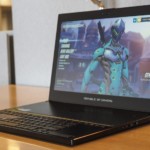
The ASUS ROG Zephyrus is an entirely new breed of gaming notebook. It packs in the most powerful laptop graphics hardware on the market, NVIDIA’s GTX 1080 , in a frame that’s almost half the size of similar machines. Mostly, that’s due to being one of the first notebooks to feature NVIDIA’s Max-Q design standard, which is laser-focused on slimming down gaming laptops with beefy GPUs. That does lead to some compromises, especially around battery life, but the Zephyrus is still a wonder to behold. Hardware The Zephyrus, which is part of ASUS’s Republic of Gamers brand, is surprisingly thin at 17.9 mm thick. You won’t mistake it for an ultraportable like the MacBook or ASUS’s Zenbook , but it also doesn’t betray itself as a completely decked out gaming laptop, like Dell’s Alienware lineup. It clocks in at 4.93-pounds, 3 pounds lighter than the Razer Blade Pro , which was considered lightweight for a gaming machine when it came out last year. When it’s closed, the Zephyrus features one of the most subtle and attractive designs we’ve seen from an ASUS gaming laptop. The only elements that really stand out are its polished metal lid and copper vents, but otherwise it doesn’t call attention to itself. It’s slim and unassuming enough to fade into the background, but it packs in a ton of power. Open it up, and the laptop’s gaming DNA becomes clear. The bottom rear of the Zephyrus expands as you lift up the lid, creating a noticeable gap that pushes the screen up at an angle, and allows for better air intake. That open portion of the laptop also rocks red LED lights when you plug it in. (The mantra for most gaming machines: Got some empty space? Put an LED on it.) Cool air comes in from below, while hot air is exhausted through vents on the sides. ASUS also developed thinner and stronger fan blades made out of a new polymer to push air throughout the system. The company worked together with NVIDIA to design its cooling technology, and it shows. There’s clearly more ingenuity involved with removing heat from the system than we’ve typically seen from ASUS. And you can expect future Max-Q laptops to be similarly inventive. The laptop feels sturdy, overall, though I could see potential problems with its expanding bottom half. All it takes is one fall from a desk, or one spilled drink, to throw a wrench into the meticulous cooling design. Thankfully, there’s none of the sloppy build quality we’ve seen from other ASUS laptops, like the Zenbook 3. Port-wise, the Zephyrus is a bounty. It includes four USB 3.1 connections, a USB-C Thunderbolt 3 port, a full-sized HDMI connection, and a headphone jack. And since the laptop is too thin for a full-sized Ethernet port (which is mind boggling, to be honest), ASUS includes a USB converter in the box. We don’t normally mention AC adapters in reviews, but in the Zephyrus’s case, it seems necessary: It’s huge! Honestly, it seems more reminiscent of a PC power supply than a laptop’s. That’s probably due to the massive amount of juice the laptop needs when you’re gaming. Keyboard and trackpad Chris Velazco/AOL Unlike most other laptops, ASUS pushed the Zephyrus’s keyboard and trackpad all the way to its front edge. That allowed the company to place all of its high-powered hardware towards the back of the case — in particularly, the CPU and GPU — so it could all be cooled at once. It took me a while to get used to the Zephyrus’s strange keyboard orientation, and even longer to adjust to its trackpad, which sits to the right of the keys instead of below it. The keyboard is comfortable to type on, even though the keys have a very short travel distance. Not surprisingly, it was better suited to gaming than typing. Moving around first person shooters using the WASD keys felt just as responsive as my desktop keyboard. There’s also an array of LEDs behind every key, which you can customize using an app. ASUS bundles a comfortable wrist-rest in the box, which is useful if you’re worried about repetitive stress injuries. While the trackpad placement is a bit strange, we’ve seen similar laptops like the Razer Blade Pro place it on the right side as well. When it comes to games, I actually found it more useful than a typical trackpad, since it almost mimics the feeling of using a mouse. It’s surprisingly smooth and responsive — in many ways it felt more accurate than a standard trackpad. Obviously, it’s not something you’d use for an FPS, but it gives you a way to play slower paced games in areas where you can’t fit a gaming mouse. You can also transform the trackpad into a virtual numberpad by hitting the key right above it, which some gamers might appreciate for hitting hotkeys. It wasn’t as accurate as having a physical numberpad, but it felt more convenient than just relying on the standard top number row. Display and sound The Zephryus’s 15.6-inch, 1080p screen doesn’t seem particularly impressive at first, especially when other gaming laptops include 4K displays these days. But its 120Hz refresh rate and support for NVIDIA’s G-Sync technology should be appealing to gamers, since it allows for smooth play no matter what framerate you’re getting. The screen shined when playing colorful, fast-paced games like Overwatch and Doom . There wasn’t any tearing at all — it’s an experience more reminiscent of a high-end gaming monitor, than a standard laptop screen. It’s clear that ASUS wanted to focus on speed instead of pixel count, but it would have been nice to see a slightly higher resolution to take advantage of the laptop’s bountiful horsepower. 4K would have been nice, especially since the Zephyrus can actually play games at such a high resolution, but even 1, 440p would have been a decent compromise. A 1080p screen feels dated, and it’ll seem even more limiting over the next few years. While the Zephyrus’s display was bright enough for indoor gameplay, it didn’t fair as well outdoors. I appreciated its matte finish, which minimized reflections, but just don’t expect to be fragging your friends while sitting in the park. The laptop’s speakers, which are towards the front near the keyboard, are loud, yet tinny. You wouldn’t want to use them for any serious music or movie sessions. That doesn’t matter much for games, since most people will just plug in an elaborate pair of headphones, but it’s a disappointment nonetheless. Performance and battery life PCMark 7 PCMark 8 (Creative Accelerated) 3DMark 11 3DMark (Sky Diver) ATTO (top reads/writes) ASUS ROG Zephyrus (2.8GHz Intel Core i7-7700HQ, NVIDIA GTX 1080) 6, 030 7, 137 E20, 000 / P17, 017 / X7, 793 31, 624 3.4 GB/s / 1.64 GB/s Alienware 15 (2.8GHz Intel Core i7-7700HQ, NVIDIA GTX 1070) 6, 847 7, 100 E17, 041 / P16, 365 20, 812 2.9 GB/s / 0.9 GB/s Alienware 13 (2.8GHz Intel Core i7-7700HQ, NVIDIA GTX 1060) 4, 692 4, 583 E16, 703 / P12, 776 24, 460 1.78 GB/s / 1.04 GB/s Razer Blade Pro 2016 (2.6GHz Intel Core i7-6700HQ, NVIDIA GTX 1080) 6, 884 6, 995 E18, 231 / P16, 346 27, 034 2.75 GB/s / 1.1 GB/s ASUS ROG Strix GL502VS (2.6GHz Intel Core i7-6700HQ , NVIDIA GTX 1070) 5, 132 6, 757 E15, 335 / P13, 985 25, 976 2.14 GB/s / 1.2 GB/s HP Spectre x360 (2016, 2.7GHz Core i7-7500U, Intel HD 620) 5, 515 4, 354 E2, 656 / P1, 720 / X444 3, 743 1.76 GB/s / 579 MB/s Lenovo Yoga 910 (2.7GHz Core i7-7500U, 8GB, Intel HD 620) 5, 822 4, 108 E2, 927 / P1, 651 / X438 3, 869 1.59 GB/s / 313 MB/s Razer Blade (Fall 2016) (2.7GHz Intel Core-i7-7500U, Intel HD 620) 5, 462 3, 889 E3, 022 / P1, 768 4, 008 1.05 GB/s / 281 MB/s Razer Blade (Fall 2016) + Razer Core (2.7GHz Intel Core-i7-7500U, NVIDIA GTX 1080) 5, 415 4, 335 E11, 513 / P11, 490 16, 763 1.05 GB/s / 281 MB/s ASUS ZenBook 3 (2.7GHz Intel Core-i7-7500U, Intel HD 620) 5, 448 3, 911 E2, 791 / P1, 560 3, 013 1.67 GB/s / 1.44 GB/s HP Spectre 13 (2.5GHz Intel Core i7-6500U, Intel HD 520) 5, 046 3, 747 E2, 790 / P1, 630 / X375 3, 810 1.61 GB/s / 307 MB/s Razer Blade Stealth (2.5GHz Intel Core i7-6500U, Intel HD 520) 5, 131 3, 445 E2, 788 / P1, 599 / X426 3, 442 1.5 GB/s / 307 MB/s Under the hood, our Zephyrus review unit featured an Intel Core i7-7700HQ processor running at 2.8GHz, along with 16GB of RAM. But of course, the star of the show is NVIDIA’s GTX 1080 GPU. Just a year ago, the idea of cramming that GPU into a laptop was impressive. Now, we can do it in gaming notebooks that are slimmer than we’ve ever seen before. This isn’t a stripped down version of the GTX 1080 either, it’s still clocked at 1.5-1.7GHz and packs in 8GB of GDDR5X RAM. But instead of focusing on getting as much performance from the video card as possible, NVIDIA’s Max-Q philosophy emphasizes peak efficiency — basically, the point where you can get the most bang for your GPU buck. Our unit also featured a 512GB M.2 SSD, which is significantly faster than the older SATA variety. Your first impressions of the Zephyrus will depend on the type of computer you’re most used to. If you mainly dabble in ultraportables, you’ll likely be intimidated by how large it seems. But if you’re familiar with gaming laptops, it’ll seem remarkably slim. As soon as I was done marveling at what an engineering feat it is, I installed several games to test out its capabilities — and the results were impressive. I saw around 100-110 frames per second in Overwatch with all of the graphics settings at maximum. That was particularly notable since I set the render scale to 140 percent, which made the computer process the game at a higher resolution than 1080p for a sharper image. Doom, meanwhile, hit its 200FPS cap with everything maxed at 1080p, and Hitman’s benchmark achieved a solid 100FPS. Christopher Velazco/AOL Clearly, the Zephyrus’s hardware is overkill for 1080p, but that also makes it ideal for playing games on external monitors and TVs. It hit around 45 FPS on average in Hitman while running on a 4K monitor in high settings. Hooking it up to my 4K TV and receiver over HDMI was also a cinch, and I was able to create a console-like experience with the Witcher 3 by plugging in an Xbox controller and booting up Steam’s big picture mode. And given just how powerful it is, the Zephyrus had no trouble handling VR with the Oculus Rift. Its specs are well above the minimum requirements, so that’s not a huge surprise. Just be prepared to use up almost all of its USB ports. As you can imagine, this laptop gets hot when you’re playing games — especially around where its powerful components sit. But ASUS’s cooling setup does a decent job of keeping things from getting out of hand. While playing Overwatch and Doom , the GPU temperature hovered between 75c and 80c, which is typical for a gaming PC. I never saw any issues due to overheating. You’ll certainly hear the system’s fans, once they get going, but they’re nowhere near as loud as what I’ve heard on other high-powered gaming laptops. ASUS ROG Zephyrus 1:50 Alienware 15 4:31 Surface Book with Performance Base (2016) 16:15 Apple MacBook Pro 2016 (13-inch, no Touch Bar) 11:42 HP Spectre x360 (13-inch, 2015) 11:34 Apple MacBook Pro with Retina display (13-inch, 2015) 11:23 Apple MacBook Pro 2016 (15-inch) 11:00 HP Spectre x360 15t 10:17 Apple MacBook Pro 2016 (13-inch, Touch Bar) 9:55 ASUS ZenBook 3 9:45 Apple MacBook (2016) 8:45 Samsung Notebook 9 8:16 Alienware 13 7:32 Microsoft Surface Pro 4 7:15 HP Spectre 13 7:07 Razer Blade Stealth (Spring 2016) 5:48 Razer Blade Stealth (Fall 2016) 5:36 Dell XPS 15 (2016) 5:25 (7:40 with the mobile charger) Razer Blade Pro (2016) 3:48 ASUS ROG Strix GL502VS 3:03 The Zephyrus fit well into my daily workflow — I was even able to get some work done while balancing it on my lap. Its biggest downside, unfortunately, is battery life. In our test, which involves looping an HD video, the Zephyrus lasted just 1 hour and 50 minutes. And while gaming, expect between an hour and 90 minutes of play. The terrible battery life is a shame, but it makes sense given how thin and powerful this computer is. You can’t do that without making tradeoffs. You’ll want to keep the Zephyrus plugged in for the best performance, anyway. On battery, Overwatch was locked at around 30 FPS. As soon as I plugged in power, it skyrocketed to 110 FPS. Configuration options and the competition The Zephyrus we tested starts at $2, 699, but there’s also a slightly cheaper model with a GTX 1070 and 256GB SSD for $2, 299. That’s a bit less than the $3000 Acer Predator 700, which also sports a Max Q design and features a GTX 1080. Basically, if you want this combination of portability and power, be prepared to pay dearly. Otherwise, you’ll have to make do with heavier gaming laptops like the Alienware 15 . Razer’s Blade Stealth is another option, since you can add the company’s Core dock to use an external GPU. And of course, if games are your main concern, you can also consider buying or building a small desktop. It won’t be as portable as the Zephyrus, but you’ll save a ton. Wrap-up No matter how you look at it, the ASUS ROG Zephyrus is remarkable. It marks a new era for gaming laptops, one where you can expect a thin, five-pound notebook to pack as much power as an eight-to-ten pound machine from a few years ago. It could conceivably be the answer to all of your gaming needs, even on your television, since it’s easy to move around your house. It’s a shame that the battery life stinks, but that’s a decent compromise for a laptop unlike any other.
Link:
ASUS ROG Zephyrus review: Gaming laptops will never be the same again

 An anonymous reader shares a report: A mysterious piece of malware has been infecting hundreds of Mac computers for years — and no one noticed until a few months ago. The malware is called “FruitFly, ” and one of its variants, “FruitFly 2” has infected at least 400 victims over the years. FruitFly 2 is intriguing and mysterious: its goals, who’s behind it, and how it infects victims, are all unknown. Earlier this year, an ex-NSA hacker started looking into a piece of malware he described to me as “unique” and “intriguing.” It was a slightly different strain of a malware discovered on four computers earlier this year by security firm Malwarebytes, known as “FruitFly.” This first strain had researchers scratching their heads. On the surface, the malware seemed “simplistic.” It was programmed mainly to surreptitiously monitor victims through their webcams, capture their screens, and log keystrokes. But, strangely, it went undetected since at least 2015. There was no indication of who could be behind it, and it contained “ancient” functions and “rudimentary” remote control capabilities, Malwarebytes’s Thomas Reed wrote at the time. Read more of this story at Slashdot.